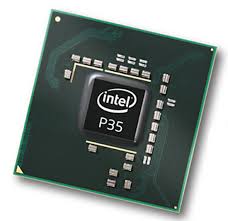
Motherboard (Mobo) : Bentuknya memang seperti "papan" dengan banyak sekali komponen elektronik. Semua komponen dari komputer akan terhubungkan ke motherboard ini. Motherboard merupakan papan utama dimana terdapat komponen-komponen serta chip controller yang bertugas mengatur lalu lintas data dalam sistem motherboard serta mengatur pemberian daya listrik pada setiap komponen PC. Pada Motherboard terdapat socket untuk processor, memory dan slot-slot yang digunakan untuk pemasangan komponen kartu seperti VGA Card, Sound Card, Internal Modem, dan lain-lain.


Spesifikasi yang perlu diperhatikan pada motherboard :
Jenis Socket Prosessor:
Jenis konektor prosessor (slot/socket) menentukan jenis prosessor yang dapat digunakan dan batasan upgrade dari prosessor. Contoh Socket 478 dapat dipakai untuk semua prosessor kelas Pentium 4 dan Celeron 4 dengan FSB 400, 533 dan 800 Mhz.


Chipset Motherboard:
Pilih motherboard dengan chipset terbaru yang mendukung memori SDRAM DIMM atau RDRAM RIMM, AGP slot 4X minimal dan harddisk ATA 100 minimal.Jenis dan kapasitas slot memory Slot jenis DDR DIMM atau RIMM adalah pilihan yang terbaik karena mendukung kapasitas memori lebih besar. Untuk kecepatan, memori terbaik adalah DDR SDRAM atau RDRAM, tetapi RDRAM lebih mahal.


Port Input/Output (I/O):
Periksa jenis dan jumlah port I/O yang tersedia seperti USB, firewire, serial dan parallel port. Sesuaikan dengan kebutuhan piranti eksternal. Feature Motherboard berkualitas baik akan dilengkapi dengan fitur Power Management ACPI untuk efisiensi penggunaan daya listrik dan PnP System (Plug and Play) yakni instalasi otomatis piranti eksternal.


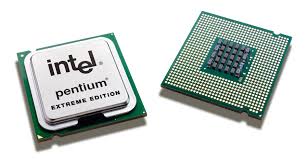
Processor (Procie) :Ini adalah "otak" dari sebuah komputer. Kecanggihan sebuah komputer diukur dari seberapa canggih processornya. Semua pekerjaan yang anda lakukan pada komputer anda dilakukan secara langsung atau tidak langsung oleh prosesor. Processor adalah sebuah unit yang mengontrol keseluruhan jalannya sebuah sistem komputer dan digunakan sebagai pusat atau otak dari komputer yang berfungsi untuk melakukan perhitungan dan menjalankan tugas. Processor terletak pada socket yang telah disediakan oleh motherboard, dan dapat diganti dengan processor yang lain asalkan sesuai dengan socket yang ada pada motherboard. Salah satu yang sangat besar pengaruhnya terhadap kecepatan komputer tergantung dari jenis dan kapasitas processor.

Spesifikasi yang harus diperhatikan pada prosessor :
Jenis Processor:
Jenis box lebih baik dari OEM karena sudah dilengkapi dengan heatsink atau fan serta diberikan garansi 3 tahun. Sdgkan utk OEM biasanya tidak dilengkapi dengan heatsink original dan garansi hanya 1 tahun.

Kecepatan FSB:
FSB (Front Side Bus) merupakan kecepatan asli/internal dari prosessor. Kecepatan FSB yang lebih tinggi akan lebih baik
Cache:
Cache adalah sistem penyimpanan data cadangan berkecepatan tinggi yang digunakan oleh komputer yang menjembatani aliran data (buffer) antara prosesor dengan media penyimpanan data/memori dan mekanisme untuk mempercepat transfer data dengan cara menyimpan data yang telah di akses di suatu buffer, dengan harapan jika data yang sama akan diakses, akses akan menjadi lebih cepat. Penggunaan cache ditujukan untuk meminimalisir terjadinya bottleneck dalam aliran data antara processor dan RAM. Pengaruh cache akan terasa pada pekerjaan komputer yang berulang-ulang.

Tingkatan dlm cache :
-First level (L1) : Tingkat cache teratas dalam hirarki, dengan kapasitas memori terkecil, termahal dan tercepat.
-Second level (L2) : Cache level dua ini memiliki kapasitas lebih besar dari L1, tetapi lebih lambat dan murah. Cache L2 masih lebih cepat dibandingkan dengan RAM.
-Third level (L3) : Cache level tiga memiliki kapasitas lebih besar dari L2, tetapi juga lebih lambat dan lebih murah, Cache L3 jg masih lebih cepat dibandingkan dengan RAM. L3 lebih terasa pada applikasi yang memanfaatkan L3 cache.

Memory (RAM) : Tempat menyimpan sementara segala macam proses dan data. Kapasitasnya diukur dengan satuan Mega Bytes atau Giga Bytes.
Dual Channel / Triple Channel:
Kemampuan memory controller untuk meningkatkan lebar bus data dari 64 bit menjadi 128 bit. Pada kecepatan (clock speed) memori yang sama, teknologi dual channel secara teoritis mampu meningkatkan transfer data maksimum hingga dua kali lipat. Setiap siklus clocknya akan mentransfer data dua kali lebih banyak dari kondisi normal. Peningkatan performa setinggi ini hanya terjadi pada memori, bukan pada performa sistem komputer secara keseluruhan. Pengaruh penggunaan fitur dual channel terhadap peningkatan performa komputer secara keseluruhan, tidak terlampau tinggi, malahan dapat dikatakan tidak begitu mencolok.

Tidak semua komputer dilengkapi fitur teknologi dual channel. Fitur ini hanya terdapat pada komputer-komputer tertentu yang memiliki fasilitas sebagai berikut:
- Memory controller menyediakan dukungan penggunaan teknologi dual channel. Pada PC berbasis Intel, memory controller ini terdapat pada chipset di motherboard, sedangkan pada PC berbasis AMD, memory controller ini terdapat dalam CPU.
- Jumlah slot/socket memori pada motherboard harus lebih dari satu (sedikitnya harus tersedia dua slot). Jika hanya tersedia satu slot, fitur dual channel tidak akan dapat dimunculkan. Untuk menjalankan fitur dual channel, peletakan modul memori pada slot di motherboard tidak boleh sembarangan. Masing-masing modul memori harus dipasangkan pada urutan slot ganjil saja atau genap saja. Jika terdapat petunjuk warna pada slot memori, pasangkan modul memori pada slot yang warnanya sama. Utk lebih jelasnya silahkan lihat buku manual dr masing2 motherboard.
- Terdapat dua atau empat keping modul memori (DDR, DDR2 atau DDR3) yang identik dan kompatibel dengan fitur teknologi yang disediakan oleh motherboard (chipset) dan CPU yang digunakan. Jika hanya terdapat satu modul memori, maka fitur teknologi dual channel tidak dapat dimunculkan.

DDR3 vs DDR2:
Keunggulan DDR3 SDRAM dibandingkan DDR2 SDRAM antara lain:
- Mempunyai bandwidth yang lebih tinggi dibandingkan generasi pendahulunya.
- Kecepatan efektif memori dapat mencapai 1866 MHz (sampai tahun 2008)
- Lebih hemat energi dan performanya lebih bagus. Dapat memperpanjang waktu pemakaian laptop karena energi listrik pada batere tidak cepat habis.
- Dilengkapi desain sistem pendingin (cooler) yang lebih bagus.

Kelemahan DDR3 SDRAM dibandingkan DDR2 SDRAM antara lain:
- Mempunyai CAS Latency yang lebih tinggi dibandingkan generasi pendahulunya sebagai kompensasi dari tingginya bandwidth.


VGA Card (VGA) : Komponen yang khusus mengolah tampilan grafis yang akan ditampilkan di layar monitor. Pada beberapa jenis motherboard, komponen ini sudah terintegrasi. Kualitas gambar yg dihasilkan oleh komputer kita sangat ditentukan oleh VGA card.
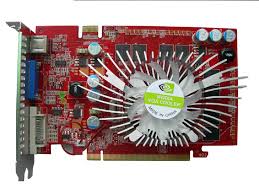
Komponen VGA:
Pada dasarnya, ada tiga komponen utama dalam VGA, yaitu :
- GPU ( Graphic Processor Unit) atau VPU ( Visual Processing Unit) : berfungsi untuk memproses sinyal gambar yang akan ditampilkan ke monitor. Pada awalnya VGA dioptimalisasi untuk 2D (grafik dua dimensi) namun perkembangan saat ini lebih banyak dioptimalkan untuk 3D. GPU berbentuk chipset yang sudah tertanam pada VGA board.
- Video Memory : berupa RAM dengan kapasitas tertentu. VGA terbaru mempunyai kapasitas memori yang besar dan cepat. Fungsi utama dari video memory adalah sebagai tempat penyimpanan frame buffer.
- RAMDAC (random Access Memory Digital-to-Analog Converter) : chip untuk mengubah sinyal analog menjadi digital. Informasi gambar yang akan ditampilkan tersimpan sementara pada video memory (RAM) dalam data digital. Untuk menampilkannya ke dalam monitor analog, RAMDAC akan membaca isi video memory, mengubah data digital menjadi sinyal analog, dan mengirimkannya melalui kabel video ke monitor. Komponen inilah yang menentukan refresh rate dari kartu video.

Hard Disk (HDD) : Merupakan media penyimpanan data secara permanen dan bisa kita akses kapan saja kita mau. Kapasitasnya diukur dalam satuan Giga Bytes.


Optical Drive (ODD) : Gunanya untuk membaca (dan pada beberapa jenis, juga untuk menyimpan) data dalam bentuk CD atau DVD.

»»  READMORE...

War of the three largest automobile manufacturers in Japan, namely Toyota, Honda and Nissan, widened to a circuit. Moreover, after introducing the Honda Racing 010 HSV-GT yesterday. Direct Japanese automotive media have labeled the latest cars and sophisticated as a murderer Honda Nissan GT-R and Lexus LFA (Group flagship Toyota).

HSV-010 Gt used Honda NSX instead in the future. Energy source, 3.4-liter engine, V8. This car will be included in the Japan GT Race Series and 500 will make its debut on 20-21 March 2010 at Suzuka circuit, Japan.

He further, this car has to meet regulations. Regulation Super GT Race Series, the car used was a modified version of the production sold to the public. However, other regulations to include exceptions. The car that was planned to be produced (although eventually not be manufactured), also may be included in the race.

Decision Honda HSGV-010 released next year associated with the more passionate and business development of automotive industry in Japan. Once proven, Honda who have withdrawn from F1 end of last year, more and more focused on racing cars can be mass produced or specifically, for example, produced a limited basis. Understandably, more and more racing fans who can use it!

kompas.com
»»  READMORE...

Yamaha YZF-R125 newly available units and 2 special limited edition Valentino Rossi with graphics. If interested, then you must be patient because these motors had already struck other consumers. "It'll sell a lot in 2010," promised David Hendrick of the general importer Pro Bike.

From the results of tests conducted road Em-Plus, there are four perceived impression of the motor capacity was 124.66 cc. Performance V-Ixion-like, whereas the technical spec, the smaller cylinder 25 cc. If the 11.75-powered R125 dk, then the V-Ixion 11.88 dk.

The first impression, motor dibanderol USD 95 million higher and it feels different than the Kawasaki Ninja 250R. Jok YZF-R125 has a height of 818 mm. Second, the motor position was higher, and higher Footstep so elbows touch the knees when bending bodies. Third, like the slow speed of the motor. When digeber in first gear, the motor speed is only at number 27. But once observed, was number 27 was using the alias MPH unit mile per hour. Mean, maximum speed gear motor reaches 43.45 km / h, whereas 2 teeth reach 75.64 km / hour.

Finally, the role of suspension and brakes very supportive. When cornering, this motor according to whom fell to the left or right. "Special R125, shape and ergonomics moge berkendaranya was like," said Hendrick.

kompas.com
»»  READMORE...

An amateur photographer to send pictures to the 2010 Nissan Patrol Worldcarfans site. Location in Dubai and these vehicles have traditionally not been marketed in the United States.

In Indonesia, the Nissan Patrol had circulated in the era of the 1970s. When it is marketed short chassis (chassis shot), while those in Dubai is long chassis (long chassis).

View sport utility vehicle (SUV) This white berkelir macho and muscular. In terms of dimensions, the size is very similar to the Armada and Infiniti QX56. Patrol compete directly at the Toyota Land Cruiser and Mitsubishi Pajero LWB.

Some look like a gentle touch on the LED taillights are integrated. However, the exterior appearance is still stiff and suitable for off-roader. Moreover, the wheels drive system All Wheel Drive (AWD) is rumored very easy to use as contained in the Land Rover All Terrain denngan model system.

For the interior, a little impressed with the seats covered in luxurious leather. There is a navigation system and backseat entertainment there.

For machines, there are leaks when the kitchen carrying implanted Patrol 3.0L V6 turbo diesel. 265 strength trosi hp with 549 Nm. 4.0L V6 engine was used in the Navara and Pathfinder, a condition as good a 4.8L V8 engine developed for the Fleet.
»»  READMORE...


This is a the last Buell I, or anyone else, will ever review. By the time you read this, Buell will be no more. You'll still be able to buy them new until the dealer network sells out, but once they're gone, they're gone. Here at MBT we're almost in mourning. Despite their eccentricities, their occasional foibles and, to be honest, their occasional outright bonkers-ness, we love Buells. Probably because of all those things, to be honest. Buell resolutely stuck to their principles, even when the reason for doing so was perhaps no longer so compelling, and often did things way before anyone else, breaking the ground and paving the way for principles now seen as de rigeur. Mass centralisation springs to mind. Buell were doing that before Honda (or anyone else) had even coined the phrase. But in the cold hard world of 2009 economics that isn't enough. This isn't a dig at Harley Davidson - they have their own business to protect and God knows they're pretty individual themselves - just a lamentation of the state of the market today.

It's also not strictly relevant to this test.

When Buell launched the 1125R supersports a while ago it was hailed as all sorts of things. But flawed genius was one of the main descriptions. Genius it certainly was, mating a storming engine with a fabulous chassis and effective aerodynamics to produce a bike that was almost as good as its predecessor, the sublime handling Buell Firebolt. But only almost as good, because it was certainly flawed as well. The fuelling was suspect under some circumstances, especially at launch, and the looks were challenging. But it can't be denied that it was a bloody good motorbike.

So at first glance taking off the fairing (which wasn't really very pretty) and making it a naked streetfighter could only be good. The lack of weather protection would slow things down a bit and perhaps allow lower gearing which would disguise the fluffy throttle. Yep, sounds promising. Only this is a Buell. So while they removed the fairing they replaced it with something far uglier. And they left the gearing alone because making this thing accelerate better was, frankly, ludicrous. And it would wreck the fuel consumption as well. See? Flawed genius again - sound thinking but suspect execution in places.

What big ears you've got, Grandma. All the better to keep my radiator cool, dear...So let's look at the bike, then. From the headstock backwards, including the clocks, everything is as before. So we get the same huge underslung exhaust, the same bulbous but very effective and comfortable seat and tail unit, the same tank, the same neat multifunctional clocks, the same excellent engine and gearbox. We also get the same fuel injection, for better or for worse, the same brakes, forks and suspension, the same tyres and the same enormous radiator cowls. In fact, all that has changed over the supersports version is the removal of the main fairing and its replacement with, um, something else.

Now let's get this straight. The 1125R had some challenging looks, but the CR really and truly does have looks designed for radio. The radiator cowls, which integrated into the fairing in the sportsbike, now sit like stunted lobster claws on either side of the frame, giving the whole bike the appearance of being dressed for a Dynasty reunion with massively oversized shoulder pads. The headlight sits in a small pod of its own, lost between those massive scoops, while the serpentine exhaust headers work their way around the radiator and drop into the front of the huge collector box. In isolation, perhaps, none of these things would be that much of a problem, but taken together they just make the whole thing look a mess.

However.

From the saddle you can't see any of this. You just notice the flat bars and absence of a screen. In fact the absence of anything - sit on the naked Buell and it all but disappears below you, with everything apart from the mirrors and clocks hidingoutside your peripheral vision. Glance down and you're looking at the front wheel spindle - straight down the fork legs. You can actually see the massive brake pads grabbing the rim mounted disc. Which I think is pretty cool. But slightly odd feeling. The switchgear is familiar to anyone who has ever ridden a Buell. Or a 1980's Kawasaki, for that matter. Bleeding edge it isn't, but then again what's to change or improve? The layout is utterly conventional and, other than the occasional European aberration, has become the acceptedstandard across all bikes. The actual switchgear isn't especially modern or funky looking, but works perfectly well enough. On the single instrument binnacle there are a couple of rubber buttons to change the display functions. You get an analogue tacho in the middle, regardless, and you'll be pleased to know that the speedo won't go away, whatever you press. But you can select outside temperature, fuel consumption, a clock, trip meter, odometer... In short, there are displays for just about anything you might want apart from a lap timer, as well as several things you'll probably never look at. The buttons are big enough to press with gloves on, too.

Simplicity personified. It all works, too. Which is nice...Enough talking now, lets ride.

Turn the key and, as with the 1125R, "Buell Wisconsin" scrolls across the display while the tacho needle does a sweep and everything sorts itself out. The fuel pump whines as it pressurises the system, and like any modern injected bike the Buell is ready to go as soon as you can get your hand from the key to the button. Hit the starter before the checks have finished and the display will keep scrolling but the rest will just behave as usual. When you've hit the starter, though, be prepared for what may turn out to be a disappointment. As shipped, the Buell doesn't sound particularly, um, exciting. The liquid cooling jacket and restrictive (and huge) exhaust combine to make it all terribly muffled and inoffensive. Easily enough fixed, of course, but a bit of a shame. It's surprisingly smooth, though, and blipping the throttle shows that it's responsive as well. The fuelling has been further refined since the 1125R and it shows. Happily the modifications should work their way back to the sportsbikes as they get serviced, making things better for everyone.

The clutch is surprisingly heavy but easy to adjust for reach, and the new gearbox is smooth enough, especially for anyone used to the box of spanners normally living at the end of the lever on a Buell. Pulling away is a fuss free experience, and everything comes to hand very easily. Despite the invisibility, at a standstill or low speed the size of the Buell makes itself felt. It's not exactly light but the balance is good and the reach to the ground isn't uncomfortable for an average sized person. Having said all that, the Buell is stable at walking speed, and after a few minutes getting used to it I had no problems doing full lock U-turns in either direction. So it can't be that bad.

Like its sportier sibling, the 1125CR has a very direct throttle. Direct to the point of jerkiness, in fact. A bit more time getting used to it helped, and had I had the time to fettle all the controls to make it fit me as I'd like then I suspect it would have been better still. But as it is, smooth progress is something that has to be worked at rather than just happening automatically as with some other, less involving machinery. The brakes, too, are rather direct. And astonishingly powerful. Happily, they also have enormous feel, and as such muster among the best brakes on a production bike, ever.

Massive front brake competes with the rest for attention...and wins outright as soon as you squeeze the lever.Riding the Buell is, as is so often the case, a mix of sublime and ridiculous. Ride it in a half-hearted fashion, be lazy or even just try to ride like a Japanese vee twin and the experience will be unrewarding at best and frankly horrible at worst. Despite the flexible engine, the snatchy throttle response and extremely direct drive from the Kevlar belt means that riding around at low revs is pretty unpleasant. You risk whiplash as well as losing the urgency with which the brilliant engine is capable of thrusting you forward. Anything less than a firm hand with steering inputs results in a bike that feels vague at the front and offers no feedback to speak of. Not something you want on a bike as capable as this surely is.

And it really is a very capable machine indeed. Ride with commitment and use the engine's broad rev range to the utmost and you will be rewarded with a fluid, adjustable rapier rather than the somewhat unrefined and brutal claymore with which you are otherwise presented. That vague steering becomes light and sensitive, with masses of feedback and the ability to change lines at the drop of an elbow. The snatchy throttle becomes pin sharp and works with you to tighten or open your turn at your slightest whim. The noise gets a harder, more aggressive edge, the hunched over the front riding position becomes...actually it stays a hunched over the front riding position, but it works really well at keeping the considerable engine power keeping moving you forwards rather than skywards. And the brakes go from being very good to being simply sublime.

Now you may think that the Buell is massively compromised and only works properly when being ridden in a manner likely to send you directly to Jail, without passing Go or collecting £200. And to an extent you'd be right. Only to an extent, though. I honestly believe that, given the time and approval from Buell I could have made the 1125CR into a far better bike for everyday riding. A bit of clutch adjustment here, some suspension tweaking there and the whole package would have simply been tailored to suit. The only difference between bikes like this and the more mass produced (some might say bland or characterless) offerings from the mainstream factories is that Buells, Aprilias, Ducatis and the like respond far better to being made just a little more bespoke, rather than being ridden out of the crate.

So much better than it looks, the 1125CR deserves to be given more of a chance...As it is, the 1125CR is a flawed masterpiece, but a masterpiece nonetheless. The engine is fabulous, despite the restrictive exhaust. The handling is accurate and fluid when ridden with feeling, it's comfortable, the mirrors work and the brakes are as effective as an unlit skip on a dark night. To put it into perspective, some clown came out of a right hand turning into my path, saw me and stopped dead. Blocking the road. The Buell gave me the time to brake and start turning and was planted enough not to fire me into someone's front garden when I mounted the kerb and used the pavement to avoid making myself into a Kia bonnet ornament. No drama at all, at least as far as the bike was concerned. I was impressed.

So. As you'll no doubt be aware, Buell are no longer making bikes. But there's stock in the dealers, they'll stand by warranties and will still be providing their excellent service support. It's quite possible that you could get one hell of a bargain on what is, in all honesty, one hell of a bike. Just take the time to make it truly yours and it will repay your attention in spades.

Tech Specs

Buell 1125CR

Engine:
1125cc vee twin 4-stroke. 4 valve DOHC, liquid cooled. 6-speed transmission with Kevlar belt final drive. Digital fuel injection with zero resistance airbox and pressurised RAM air intake.

146bhp @ 10000rpm
111Nm @ 8000rpm

Chassis:
Aluminium frame with Uniplanar powertrain vibration isolation system, Showa upside down forks and Showa rear suspension, both with compression, rebound and preload adjustment. ZTF front brake with single 6 piston caliper on a 375mm disc. Single 240mm rear disc with floating caliper.

120/70 ZR17 front tyre
180/55 ZR17 rear tyre

Wheelbase: 1385mm
Seat height: 775mm
Dry weight: 170kg
Fuel capacity: 21.2lit

Price: £8,080


http://www.motorbikestoday.com
»»  READMORE...

What has a steel cradle frame, big twin shocks on the rear, no fairing and an enormous four-cylinder powerplant? Correct it's your typical universal Japanese motorcycle (UJM). Asthetically unchanged much in the last 30 years, but everything else has including the ride has improved no end! Honda's big CB1300 is living proof that the UJM is alive and well, and still a complete laugh to ride.

So what's this bike all about then?

Well having pretty much given the game away, the CB1300 is in reality a combination of all sorts of machinery developed by Honda since they shocked the motorcycle world back in 1968 with the introduction of the CB750 four.

The motor is a newly-developed 1,284cc in-line four cylinder engine and has been tuned for grunt rather than top end screaming. Honda claim 114hp @ 7,500rpm from the liquid-cooled engine and 117-Nm of torque @ 6,000rpm. Having ridden it for some time I would imagine that at least 100-Nm of torque is available from barely above the 1,000rpm idle speed with this engine.

Honda have put a lot of thought in to the styling of the engine with an attractive bronzed-silver finish to the engine while the tall cam covers add to the retro look. No cooling fins here though as the block shows off all it's curves while a 400mm wide radiator helps to keep the big motor cool, there's also an oil cooler fitted.

A sophisticated engine management system provides separate 3D mapping for each gear and controls Honda's well proven PGM-FI fuel injection system. Honda has switched both the Fireblade and SP-2 over to 12-hole injectors which has resulted in improved fuel economy for both models. The new CB1300 also scores by having the same laser drilled injectors mounted to 36mm throttle bodies as those fitted to the current CB900 Hornet. There's a big single stainless steel silencer fitted to the CB1300 which is a bit surprising for this type of bike, but the 4-2-1 pipework looks nice with it's siamesed look.

Up front the suspension is conventional 43mm forks and at the rear there's a standard retro twin shock set up. while braking is via triple discs - four piston jobs up front and single rear. The brakes on the CB1300 are good, they have to be really as stopping this 224kg beast from some pretty impressive speeds takes a serious set up to do it efficiently. The seat height is a mere 790mm which makes it easy for almost all riders to put their feet firmly on the ground. Tank range is good to as the low revving motor doesn't really use that much fuel at cruising speeds. The capacity is 21lts and is good for about 160 miles before reserve if you are cruising at normal speeds.

What's it like to ride?

You may have noticed 114bhp power claim, pretty modest for an engine of this size really. Riding it on normal roads the big CB1300 is a pussycat really. There's no shredding of the standard Dunlop Sportmax tyres, but it will give most other bikes out the a good hiding if you really want it to! The grunt-at-any-revs type performance is just great, it's something that makes you run a gear higher everywhere and at 1000rpm in 5th (that's 30mph) you can just pull away smoothly without snatch right up to 145mph if you can hang on without any real wind protection! Yep, we loved every minute of it, it's super smooth, comfortable, and has incredible torque at any speed or rev range.

Something that mystified me was the manual choke/fast idle pull switch on the side of the engine? Now considering it's running the factory injection I just didn't see the need for it at all unless Honda consider it a a retro accessory. Actually it didn't need it at all, just ignore it and you will find it starts on the button every time without it.

Seating is truly generous and well thought-out, there's not a lot of pillion leg room on the right hand side due to that enormous silencer, but on th eplus side there's lots of luggage strap hooks.

The general handling and steering of the CB1300 is surprisingly light, once you get over the slightly top-heavy feel - particularly with a full tank of fuel. You can hustle it down your favourite 'B' roads with all the ease of a sports bike, and seriously impress a few of them to! The suspension soaks up the bumps and ripples with ease, it provide you with pretty good feedback and gives you good levels of control at almost any speed.

Instrumentation on the big CB1300 is incredibly comprehensive. Twin binnacle style gauges house the speedometer and tachometer. An LCD clock and 6-segment fuel gauge is mounted inside the tachometer. Between the two binnacles is the usual array of warning lights and a large LCD travel computer. This LCD displays the odometer, dual tripmeters, ambient air temperature, coolant temperature, stop watch, countdown tripmeter, daily distance travelled, and a calendar function that can even be set to remind you of your next service interval or any other memorable dates. The only thing missing is satellite navigation!

In winter you really do need wear Gortex or at least carry your wets with you, now that's something that Honda have really scored with here. Under the big seat is a 12.5lt storage box, something you don't see much on most bikes today, it just swallows your wet weather gear and everything else you usually carry.

In conclusion:

The CB1300 was a pretty impressive bike to ride and to be seen on, and I think that hits the nail on the head when it come to buying and owning one of these big retro bikes. There's not much out there that is as physically impressive as the CB, with its huge engine, enormous tank, even more enormous silencer and a prescence that demands respect. Yes it's a bike to impress on, to pose, to cruise around with ease and comfort and accelerate away without fuss and bother or the need to change gear. If this is the type of bike you like then reach for your credit card (yes it's not that expensive either!). It raises the naked bike game by a substantial amount, it has to be on the must-ride list if you happen to come across a demo.

http://www.motorbikestoday.com
»»  READMORE...

A screensaver is a moving, rotating or changing image that engages when a monitor is left idle for a set period of time. Screensavers were especially useful for Cathode Ray Tube (CRT) monitors that were in widespread use before Liquid Crystal Displays (LCDs) replaced them. CRT monitors were subject to “burn-in,” or the tendency for a static image to leave a permanent, ghostly replica of itself imprinted on the screen if the display remained unchanged for too long. Configuring a screensaver to initiate during idle periods helped to prevent burn-in.

Although LCD monitors are made with a different technology that is not susceptible to burn-in, they can be subject to what manufacturers like to call “image persistence.” The polarized crystals that filter color to create an image can retain memory if forced to display the same color over a retracted period of time. This usually doesn’t occur if the display is turned off for several hours a day, such as overnight.

While image persistence isn't the problem burn-in once was, screensavers have become popular in their own right and many people configure their desktops to switch to a screensaver after a period of time for the sheer pleasure of it. The amount of idle time is user-configurable, and any mouse or keyboard action will instantly turn the screensaver off and return the desktop to its previous state.

Operating systems come with a handful of default screensavers, many of which can be seen when walking through computers at the local retailer. Changing geometric patterns, underwater scenes with passing fish, and crisscrossing logos are a few of the most common screensavers. Third-party screensavers can be very beautiful, and many screensaver programs are available for free. You might opt for scenes from National Parks, breathtaking sunsets, famous locations, or a trip through the cosmos.

If you happen to be a TV buff, consider visiting the website of your preferred network to see if they offer a promotional screensaver for your favorite show. HBO and Showtime happily supply screensavers of their most popular programs, free for anyone to download.

A seasonal screensaver can also be a nice change of pace. Many websites offer a plethora of choices to add holiday cheer or ambiance to your computer display. Consider a fireplace with a brightly burning fire, Santa’s workshop, or a haunted house, if you’re in the mood.

You can also make your own screensaver with pictures or movies of friends, family and pets. Many software programs are available to help you create a custom screensaver and assign it to your desktop.
»»  READMORE...

A Universal Serial Bus (USB) switch allows two or more computers to easily share USB peripherals like printers, cameras and scanners. The USB switch eliminates the need to unplug the USB peripheral component from one computer, to plug it into the other. Instead, the shared component runs to the USB switch device itself, which is connected in turn to multiple computers. With the touch of a button on the USB switch device, the peripheral is instantly available to serve any computer connected to it.

There are several models of USB switches. Some models are built for two computers to share a single device. This can be handy for a home user who needs to share a USB-enabled printer, scanner, memory card reader or digital camera, for example, between a desktop and laptop. Other models allow incoming ports or connectors for up to four computers, and an outgoing USB port for one device. Still others allow up to four computers to share up to four USB-enabled devices.

On most models a small LED light appears over each incoming port, lighting when the particular port is active. With a press of a button, the USB switch rotates the active port.

Without a USB switch, computers must be networked to share devices. Though networks are great for many purposes, not everyone needs a network. Moreover, even with a network a USB switch can come in handy.

For example, let’s assume you have a home desktop computer networked to a laptop. Connected to your desktop is a memory card reader. Let’s assume further that you want to use your card reader to download images to your laptop. Unless you leave your desktop powered up and running, you’ll be forced to either boot up the desktop to gain access to the network and card reader, or you’ll need to unplug the card reader and plug it into the laptop.

Using a USB switch, you would not need to power-up the network, nor move the device’s plug or interface. With the needed card reader connected to a USB switch, you would simply connect your laptop to the incoming port on the USB switch and use the memory card reader, hassle-free.

In some cases a user might need the opposite of what a USB switch provides. One might require several USB ports for a single computer. A USB hub serves this purpose. It is a device that plugs into a USB port, allowing several incoming USB connections.

http://www.wisegeek.com/
»»  READMORE...

CRT stands for cathode ray tube, describing the technology inside an analog computer monitor or television set. A CRT monitor or TV is readily recognizable by its bulky form. LCD monitors and plasma television sets, or flat panel displays, use newer digital technologies.

The CRT monitor creates a picture out of many rows or lines of tiny colored dots. These are technically not the same thing as pixels, but the terms are often used interchangeably. The more lines of dots per inch, the higher and clearer the resolution. Therefore 1024 x 768 resolution will be sharper than 800 x 600 resolution because the former uses more lines creating a denser, more detailed picture. Higher resolutions are important for displaying the subtle detail of graphics. For text, resolution isn't as critical.

But how do those colored dots appear on the screen?

Inside a CRT monitor is a picture tube that narrows at the rear into a bottleneck. In the bottleneck is a negative charged filament or cathode enclosed in a vacuum. When electricity is supplied, the filament heats up and a stream or "ray" of electrons pour off the element into the vacuum. The negatively charged electrons are attracted to positively charged anodes which focus the particles into three narrow beams, accelerating them to strike the phosphor-coated screen. Phosphor will glow when exposed to any kind of radiation, absorbing ultraviolet light and emitting visible light of fluorescent color. Phosphors that emit red, green and blue light are used in a color monitor, arranged as "stripes" made up of dots of color. The three beams are used to excite the three colors in combinations needed to create the various hues that form the picture.

To precisely direct the beams, copper steering coils are used to create magnetic fields inside the tube. The fields move the electron beams vertically or horizontally. By applying varying voltages to the steering coils, a beam can be positioned at any point on the screen. Each image is painted on the screen -— and repainted -- several times each second by scanning the electron beams across the screen at incredible rates. This must be done even when the picture being displayed is unchanging, because the phosphor only glows for a very short time.

The refresh rate indicates how many times per second the screen is repainted. Though monitors differ in their capabilities, lower resolutions normally have higher refresh rates because it takes less time to paint a lower resolution. Therefore a setting of 800 x 600 might have a refresh rate of 85Hz, (the screen will be repainted or refresh 85 times per second), while a resolution setting of 1024 x 768 may have a refresh rate of 72Hz. Still higher resolutions usually have refresh rates closer to 60Hz. Anything less than 60Hz is generally considered inadequate, and some people will detect "flicker" even with acceptable refresh rates. Generally speaking, high-end monitors have higher refresh rates overall than lower-end models.

Another specification regarding CRT monitors is "dot pitch" which relates to the tightness or sharpness of the picture. A lower dot pitch such as .25 is preferable over a higher dot pitch. In the heydey of the CRT monitor this was an issue because some models were sold with .32 dot pitch, resulting in "fuzzy" text. By the end of the CRT era, virtually all displays had .28 or better and today's CRT monitors can have dot pitches as low as .21.

The CRT monitor comes in 15-inch to 21-inch sizes (38 — 53 cm) and larger, though the actual viewing screen is about 1 inch (2.5 cm) smaller than the rated size. Screens are measured diagonally from corner to corner, including the case.

http://www.wisegeek.com/
»»  READMORE...

Double data rate synchronous dynamic random access memory, or DDR SDRAM, is computer memory. The previous version is single data rate or SDRAM. DDR SDRAM was built on the technology of the prior version, but operates at almost twice the bandwidth or processing speed.

This is possible because the data is transferred using the double pumping technique. In this technique, the data is transferred when the clock increases and decreases. An additional benefit of this process is that no changes or adjustments are required to the clock frequency.

DDR memory transfers the data in 64-bit pieces. The actual transfer rate is calculated by multiplying the memory clock rate times two, as it is a dual unit. This value is then multiplied by 64, which is the number of bits that were transferred. The total value is divided by eight, which is a unit conversion for bits per byte. The final value is provided in megabytes per second or MB/s.

There are set manufacturing standard data rates for memory, which are set by the Joint Electron Device Engineering Council (JEDEC). This standard is divided into memory chips and memory modules. The standard naming convention is also divided into two categories: industry and consumer. The industry name is DDR, followed by the number of data transfers per second. For example, a DDR – 200 component provide a data transfer rate of 200 bits per second.

The consumer naming convention is based on the peak transfer rate. The DDR – 200 has a peak transfer rate of 1,600. Therefore, this unit would be called PC – 1600 in the consumer marketplace. It is exactly the same as the DDR - 200 unit. Package sizes are also set by the JEDEC, in the interest of consistency between manufacturers.

A DDR SDRAM module has 184 pins for the dual inline memory modules (DIMMs) of the desktop computer. SD RAM has 168 pins and the DDR2 SDRAM, which is the next version of DDR SDRAM, has 240. It is easy to tell the DDR and SD models apart, simply look at the number of notches on the memory card. The DDR version has one and the SD version has two.
»»  READMORE...

If you can’t live without your cell phone or personal digital assistant (PDA), you’ll be pleased to hear that micro USB connectors will soon make these gadgets even more convenient to use. USB, which stands for Universal Serial Bus, is an external bus, or cable, standard used to connect peripheral devices, like keyboards, to computers. It's an alternative to its common predecessors, serial and parallel standards. After some time, USB technology was enhanced and reduced to a smaller size known as mini USB. The micro USB specification is now scheduled to replace mini USB connectors in many different types of portable devices, including cell phones and PDA's. Standard devices will use Micro-B receptacles, while USB OTG (On-The-Go) devices will use Micro-AB receptacles. Micro-A plugs, Micro-B plugs, and standard cables will also be available.

The micro USB technology was developed by the USB Implementers Forum, Inc. (USB-IF), an independent non-profit group that works to advance USB technology. Nokia is one of many companies that will be using the micro USB specification in its upcoming products.

When compared to the mini USB, the micro USB offers many advantages. The most obvious benefit to this new technology is its smaller size. As cell phones and PDAs become thinner and lighter, consumers are frequently finding the mini USB connector is simply too large for practical use. The micro USB will allow manufacturers to push the limits of this trend towards sleeker design.

In addition to its smaller size, the micro USB is more durable than the mini USB connector. A micro USB features a stainless-steel shell to allow for over 10,000 insertion cycles, as well as a latching mechanism that provides higher extraction forces without sacrificing the USB’s ease-of-use for synching and charging your portable devices.

»»  READMORE...

The world of personal computers is wide and varied, but many casual users are familiar only with the operating system that arrives already installed on their machines. Many people who purchase a personal computer are apt to use only that operating system, which is the collection of software that runs the computer's systems. Increasingly, consumers are becoming aware of other options that are available to run their computers, like the Linux operating system. Linux is a free, or open source, user-driven operating system that works on nearly all personal computers.

Linux, like other operating systems, has different versions available. One of the newest Linux systems is Linux Mint. Linux Mint is a version of Linux that strives to become easy to use for the average person. Unlike other Linux releases, such as Ubuntu, Debian or Fedora, Linux Mint has no set release dates for updated versions, but instead pushes quality over timely releases. Because updates are primarily overseen by users of the system, there are several different releases of Linux Mint, featuring several different software suites.

As a newer operating system, Linux Mint has releases that work on newer 64 bit processors. In the past, most personal computers ran on 32 bit processors; however, as hardware technology grows, software must change to keep up with it. Popular operating systems, like Windows Vista™, are 64 bit and provide a more intense and graphic interface than previous 32 bit operating systems. Linux Mint is also compatible with another Linux release, Ubuntu. This allows the operating systems to share components such as software and system files.
»»  READMORE...

Linux is a Unix-like, open-source, operating system for computers.

An operating system is an infrastructure of language code that interfaces with the hardware of your computer system. It recognizes your hardware and makes it available to your software programs so that the software runs smoothly on your computer. Software is written then, with the protocols of a specific operating system in mind. An operating system in turn generally only recognizes software that is written to interface with it.

Although Unix is the grand daddy of operating systems, the most recognizable example of an operating system for most users today is Microsoft Windows. But there are key differences between Microsoft Windows and Linux operating systems.

For one, Linux is an open-source operating system. This means the source code for Linux is publicly available for inspection and even improvement. The advantages of open-source products range from the benefits of creative input from programmers all over the world, to security. With the source code readily available in the public domain, open-source products can be vigorously tested by programmers all over the world. This is much more difficult with a closed system like Microsoft Windows because the source code is not publicly available.

Another major difference between Linux and Microsoft Windows is that Linux is based on the Unix operating system, while Windows is a proprietary or stand-alone operating system.

Many people who are considering switching to Linux wonder if their current Windows software will run on Linux. The short answer is no. The Linux operating system was not designed for, or intended to run Windows software. That said, interfaces like WINE, which is free and comes with most distributions of Linux, or paying alternatives like Win4Lin and VMW provide various kinds of solutions for running Windows software on Linux machines with varying results. However, it is the hope of Linux enthusiasts that people will switch to Linux-alternative software, as more applications are written for the Linux environment.

It is unknown how many Linux users exist because registration is not required, but the number is estimated to be in the millions.
»»  READMORE...

LCD displays were used on laptop computers before the technology improved enough to make the jump to desktop monitors. An LCD monitor consists of five layers: a backlight, a sheet of polarized glass, a "mask" of colored pixels, a layer of liquid crystal solution responsive to a wired grid of x, y coordinates, and a second polarized sheet of glass. By manipulating the orientations of crystals through precise electrical charges of varying degrees and voltages, the crystals act like tiny shutters, opening or closing in response to the stimulus, thereby allowing degrees of light that have passed through specific colored pixels to illuminate the screen, creating a picture.

As LCD technology evolves, different techniques for producing color emerge. Active-matrix or TFT (thin film transistor) technology produces color and images as sharp as any CRT and is generally considered superior to passive-matrix technologies.

Important specifications to consider when shopping for an LCD monitor include contrast ratio, brightness (or "nits"), viewing angle, and response time.

Contrast ratio relates to the display's comparative difference between its brightest white values and its darkest black values. A higher contrast ratio will have truer colors with less "wash out." The standard offering for lower end models is commonly 350:1. Many experts recommend a contrast ratio of 500:1 or better.

An LCD monitor is brighter than a CRT, giving the consumer little reason to hunt for an especially bright model. Brightness is measured in nits, or one candela per square meter. Anywhere from 250 - 300 nits is standard. If the nits are much higher you'll likely end up adjusting the brightness way down.

The viewing angle is an especially important consideration if you plan to have multiple people viewing the LCD monitor at any given time. There is a vertical and a horizontal viewing angle specification, which refers to the degree you can stray from dead center before the picture starts to wash out. High contrast levels usually go hand-in-hand with wider viewing angles. Many recommend a viewing angle of at least 140 degrees horizontal and 120 degrees vertical. The wider the viewing angles, the better.

Response time is measured in milliseconds (ms) and refers to how long it takes pixels to turn from completely white to black and back again. Smaller values represent a faster response time and are more desirable, especially for gaming or viewing video. If the response time is slow, "ghosting" or "trailing" can occur with fast-moving images, as repaints of the screen overlap. A maximum response time should be no more than 25ms for general use, and 17ms is better. Many gamers report no ghosting using an LCD monitor with a response time of 16ms or less.

LCDs use only one-third to one-half the electricity of their CRT counterparts. They are much easier on the eyes, take up 90% less space, and only weigh a few pounds. They also emit far less low-frequency radiation than CRTs. This makes LCDs a great choice for nearly everyone, and ideal for people who work all day in front of the screen. Colors may change hue as one moves to the outer limits of the viewing angle, particularly on displays with narrow viewing angles and low contrast ratios. For this reason graphics professionals that require exacting color consistency regardless of viewing angle generally use CRTs, though LCDs have improved in this regard.

An LCD monitor comes in standard sizes from 15-inches to 21-inches, and larger. The viewing screen is the same size as the rated display, unlike CRT monitors. Therefore a 15-inch LCD will have a 15-inch viewing screen.
»»  READMORE...

We all know that technology waits for no one in this day and age, and whether you use a computer or laptop for leisure or business it is a natural urge to want to keep up with the times. This can become an expensive habit, however there are ways to reduce the costs involved and benefit from your old laptops and PC´s. Being able to trade your laptop online, quickly and easily allows you to use the funds you receive to discount the cost of your upgrade.

There are a few things that you should be aware of when you trade a laptop, firstly is that the process to trade your laptop online is now so quick and simple that to sell privately would seem a long winded and stressful process. With this said there are many sites available and we have to be sure that the site we choose to trade with is the best option for ourselves, so how do we do this?

Firstly, we need to have confidence in the company we are going to trade our laptop with; we are never going to meet face to face, so we have to know they are trustworthy and will keep to their word. This can be achieved by checking for association with companies such as VeriSign and TRUSTe, as well as checking the sites contact details and how easily obtainable they are.

Once you have built confidence with the company you are going to trade the laptop with have a look around the site and see how easy it is to answer any questions you have and how well explained the process is, as well as how easy it is to start and use the laptop trade process. Providing you have selected a respected company in the laptop trade process all of the above should be simple and quick to achieve.

When entering the specifications of your laptop you are going to trade, and its condition – remembering that you can trade with some sites in any condition, old, used or broken, be as precise as possible to ensure you receive an accurate quote, and after you have received the calculation the sooner you fill out the following form for the packaging to be sent to you the sooner you can benefit when you trade a laptop online.

The entire process enabling you to trade a laptop online s not complicated, but these tips will mean you have a basic understanding of what to look for to ensure you have a smooth and beneficial transaction when you do go ahead and trade a laptop online.

These tips and advice have been brought to you be the ‘CashFor’ family, who can be visited at www.cashforlaptops.com where you can see all of the above as a laptop trade site should be.

»»  READMORE...


Taking good care of your laptop is the number one factor to prolong your laptop life. Rather than giving you hundreds of methods, I will summarize it into 5 simple and practical ways.

Use laptop bag to store your laptop


Using laptop bad is quite a necessity especially for frequent traveler. Laptop bag has cushion and padding to help absorb shock and scratch from outside. With a good quality laptop bag, it is made from water proof material that will help protect your laptop in case you are caught in rain. In worst case serious, if you accidentally drop your laptop, a laptop bag will reduce the impact of the drop and protect the laptop from breaking.

Use laptop on flat hard surface

Laptop is a very compact computer where there is minimum space inside the chassis to release heat. Most of the time, heated air is ventilated out from the side and bottom of the laptop. By placing laptop on top of flat hard surface, heated air travel more easily out from the bottom of the laptop. Some of us like to work from bed, which is actually a bad idea. Bed cover is usually made from wool and cotton base material, which caused the heated air to be trapped under the laptop and cause serious overheating.

Switch OFF laptop if not in use

Unlike PC, laptop does not built to run for extended period of time. With PC, we can leave the machine running for weeks for downloading your videos, but laptop is different case. Overheating is the biggest problem in all laptops. Therefore, whenever the laptop is not in use, switch it off. Another alternative is to enforce laptop power scheme. Let’s say after X period of inactivity, the laptop will switch off the hard disk. After X+Y period of inactivity, the laptop will go into standby/hibernate mode.

Use laptop cooler

Laptop cooler is a flat device, with ventilation fan inside the device to help cool down the laptop. Laptop cooler is place directly under the laptop and powered by the USB port. The laptop cooler is an inexpensive device and a good solution to help solve the overheating problem. Another advantage is that laptop cooler can be used to create flat hard surface for your laptop, in case you are working on soft surface like bed.

No food and drink near the laptop

Refrain from eating or drinking near the laptop. The crumbs from the food can slip through the keyboard directly to the components inside the laptop. A dirty laptop will attract bugs to build nest inside your laptop. As for spilled drink, it can cause serious damage to all your components inside the laptop. This is because liquid can short-circuit on the motherboard, hard disk and processor. As a result, you may experience loss of data and permanent failure to your major components.

There you go, 5 simple and practical ways to protect and prolong your laptop. Not to mention a cool laptop will run faster than a hot laptop.

»»  READMORE...

There are lots of people who always in a conscientious effort to upgrade memory in laptop to increase its effectiveness. In desktop systems, you are normally given three or four slots for memory modules but this scenario is not seen with laptops as they only come with two slots.

Normally, laptops don’t use SIMM and DIMM memory which is used in case of non portable machines. When you will delve more into the details, you will find that following are the basic types of memory used in laptops;

• 72 pin SODimm

• 144 Pin SODimm

• SDRAM

• DDR SDRAM

Certainly the more memory in a laptop PC the better but there are other concerns regarding memory in laptops. Laptops are generally more restricted when it comes to terms of memory that can be installed into a system. More often access to that memory can also be a headache if you plan a future upgrade.

Most of the laptops are now using the DDR2 memory technology, but a number of new laptops use the DDR3 standard.

We generally find two ways through which the memory speeds can be designated. The first one is by the memory type and by finding its clock rating, like DDR2 400. Another r method is by documenting the type along with the bandwidth. In this instance the same DDR2 memory would be listed as PC2-3200 memory. Below is a listing in order of lowest to fastest memory types in both formats:

  • DDR2 400 / PC2-3200

  • DDR2 533 / PC2-4200

  • DDR2 667 / PC2-5300 or PC2-5400

  • DDR2 800 / PC2-6400

  • DDR3 800 / PC3-6400

  • DDR3 1066 / PC3-8500

  • DDR3 1333 / PC3-10600

  • DDR3 1600 / PC3-12800

In addition to the type of memory installed in the laptop, the speed of the memory can also make a difference in the performance. When it comes in terms of comparision, it is of outmost importance to check both of these pieces of information to evaluate how they may impact performance.

»»  READMORE...

Computer Laptop Battery Care and Usage Tips for getting more from a notebook battery.

1. Turn off Wi-Fi and BlueTooth - Most laptops have shortcut keys to instantly disable wireless networking.

2. Don't play computer games, music or DVD movies - Multimedia activities drain laptop batteries.

3. Disconnect all external device like PC Card modems, Firewire, USB devices and optical drives. Use the notebook touchpad instead of an external mouse.

4. Adjust your screen brightness - Dimming your display saves battery power.

5. Tweak Windows Power Options - Choose a Laptop power scheme that turns off the notebook monitor and hard disk after 10 minutes of inactivity.

6. Decrease or mute the Laptop Speaker Volume.

7. Turn off all scheduled tasks.

8. Turn off Auto-save features in Microsoft Office and other applications.

9. If your PC has a built-in wireless card, turn it off or disable it when not in use.

10. Programs that are run from a CD or DVD can be copied to and run from the hard drive, which typically consumes less power than an optical drive.

Looking for the longest battery life laptop ? Actually, many factors affect the amount of time that a laptop battery can deliver power before it must be recharged.

How to extend laptop battery life? Here are some more tips to improve your notebook's battery life:

1. If you do not use your laptop for extended periods of time (a week or more), remove the battery pack from the laptop.

2. Do not expose the battery to high heat or freezing temperatures. Do not leave your battery in your car in the summer. Hot batteries discharge very quickly, and cold ones can't create as much power.

3. Make sure to plug your laptop adapter into a UPS and not directly into a power outlet or surge protector.

4. If you have a nickel-metal hydride battery, completely drain and recharge the battery once a month to maximize its capacity to hold a charge.

5. Fully charge new battery packs before use. New pack needs to be fully charged and discharged (cycled) a few times before it can condition to full capacity.

6. For laptops that work as Desktop Replacement, the battery should be re-installed every 3-4 weeks and allowed to fully discharge.

7. Leaving a battery in a laptop while using an electrical outlet for long periods of time will keep the battery in a constant state of charging up and that will reduce the life cycle of the battery.

Battery-saving sleep modes: Should I use Stand By or Hibernate

Standby mode

Use standby to save power when you will be away from the computer for a short time while working - your monitor and hard disks turn off, all applications and open files are stored in RAM. When you want to use the computer again, it comes out of standby quickly, and your desktop is restored exactly as you left it.

Hibernation Mode

Use hibernation to save power when you will be away from the computer for an extended time while working - your computer shuts down to save power but first saves everything in memory on your hard disk. When you restart the computer, your desktop is restored exactly as you left it.

When you choose Start, Turn Off Computer in Windows XP, your options are Stand By, Turn Off, and Restart. To Hibernate, place the cursor over Stand By, then hold down Shift and click.

»»  READMORE...

Test laptop screen inverter

Is it possible to test laptop screen inverters with a regular multimeter? I was asking myself exactly the same question many times before until I found this article published by Morris Rosenthal. Apparently, you can test inverters with a multimeter but you have to have the right one, with frequency rated at least 50KHz.

my $20 meter failed to register anything! So I borrowed a better meter from my neighbor, a Fluke 110 true RMS meter. The Fluke specs show it’s rated to 50KHz, which turned out to be critical in the inverter test application.

I’m not sure how accurate this test is, so I will probably find a Fluke multimeter and try it myself. If this test works 100%, it will be very helpful to me.

By the way, some of you may ask what a screen inverter is and where it’s located inside a laptop? I’ll try to answer in a few words. The inverter board is a power supply for the LCD screen and it powers up the backlight lamp (CCFL) inside the LCD screen. When inverter fails, the LCD screen remains dark even after your turn on the laptop.
You still can use the laptop with an external monitor attached to the VGA port but not with the internal screen. The image on the laptop screen will be very dark, almost invisible. The inverter board is located inside the display panel and in most laptops you’ll find the inverter board located right below the LCD screen.
The image below explains how the inverter board is connected to other components inside your laptop. You’ll find more information in this article.

Notebook display diagram

Here’s how you can test the inverter board using a spare backlight lamp.

Basically, you unplug the LCD screen from the inverter and plug in a known good backlight instead. If your test backlight lamp doesn’t light up, most likely there is a problem with the inverter board.

If you plat to test more than one LCD screen, you mgith consider buying this CCFL bulb and inverter tester designed by LCDParts.net. You can find this tester here.

Finally we have the LCD Screen Tester available (LST01 is including a 12V DC Adapter) after months of experiment with many different types of LCD screens. No more guess works! This custom built equipment can help you isolate problem between CCFL Backlight Lamp and Inverter in seconds.

»»  READMORE...

Laptop backlight lamps

If your laptop screen will not light up anymore and you are looking for a backlight lamp (CCFL) replacement, take a look at this site. I just found this website via Google and though it might be useful for you.
I hope you understand this warning.

Purchases of backlights are for professionals who now how to fit correctly, if fit by a novice the LCD panel may show lines or blocks of bad data, or hissing noise from badly soldered joints at the lamp connections. Warning high voltage is applied to the CCFL to create light inside the LCD housing.

Here’s my previous post about replacing the backlight lamp in an IBM laptop. This post might be useful too.


I already mentioned it many times before and I’ll repeat it again. If the backlight on your laptop will not turn on (or it flickers and then goes off) but you still can see a very dim image on the screen, most likely this problem is not related to the backlight lamp. From my experience, in most cases this problem is cause by a faulty inverter board (FL inverter) – the board witch supplies power to the backlight lamp. It is much easier and cheaper to replace the inverter board then replacing the backlight lamp, so try it first.

»»  READMORE...

Replacing laptop backlight

This guide provides some additional information to my previous post about accessing and replacing laptop backlight lamp.
Warning! The backlight lamp is very fragile and can be easily damaged. In order to replace the backlight lamp, you’ll have to disassemble the LCD screen. It’s not easy.

If you have no experience fixing laptops, do not open the screen!
The fourth step says:

Now you can test your newly put backlight. If in any case it doesn’t work, you could try replacing the inverter. Replacing the inverter was just a matter of unhooking a couple of cables.

If you have a problem with the backlight, I would definitely try replacing inverter first. This is much easier then replacing the backlight lamp and there is a good chance to fix the problem.

»»  READMORE...


The usb flash drive is a flash memory data storage device synchronized with the help of usb interface . The usb falsh drive act as removable and rewritable drive which is quite small in size compared to floppy disk. Some of the usb flash drive weighs less than even an ounce. The storage capacities of usb flash drive varies between 64MB to 256 GB along with changes in sizes and cost per capacity.

The usb flash drive is quite advantageous than any other portable storage devices especially the floppy disk. The shape of the usb flash drive is compact, operate faster and hold large data. It has a durable design and functions more reliably because of not having moving parts. One sees usb flash drive commonly found in the computer where floppy disk drive has no place. Now it has become the mainstream device for every pc and laptop. Such different drives have the usage of usb mass storage standard backed mainly by modern operating systems like windows, mac os x , linux, and many unix-like systems. In the usb flash drive there is nothing like moving. We use the word drive because the computer reads and writes the flash drive data by applying the same systematic commands which are used in mechanical disk drive.

The usb flash drive carrying usb 2.0 backing functions more faster than the optical disc drive when data is stored in large amount in a limited space. The usb flash drive contains small printed circuit board kept safely in a plastic, metal, and rubberized case. Latest usb flash drive carries usb 2.0 connectivity. The fastest usb flash drive available in the market is using dual channel controller. One should go through the technicalities of usb flash drive before purchasing it such as speed , connectivity, compatibility, and also transferring rate. Recent usb flash drive is using a standard type-A USB connection which permits plugging in a particular port on the computer . But drives are also available for various interfaces in the market.
»»  READMORE...


RAM (random access memory) is the place where the operating system, application programs, and data in use are stored so that they can be quickly access by the computer's processor. RAM is considered to be faster to read from and write to than the other available storage in a computer such as the hard disk, floppy disk, and CD-ROM. The data in RAM stays there as long as your computer is running or turned on. When you unplugged your computer off, RAM loses its data. When you turn your computer on next time, your operating system and other files are once again loaded into RAM, generally from your hard disk.

RAM is also known as "random access" because any storage location can be acheived directly. Originally, the term discriminates regular core memory from offline memory, commonly on magnetic tape in which an item of data could only be gained by starting from the beginning of the tape and finding an address sequentially. Perhaps it should be termed as "nonsequential memory" because RAM access is hardly random. RAM is organized and controlled in a way that permits data to be stored and retrieved directly to particular locations. You sholld note that other forms of storage such as the hard disk and CD-ROM are also accessed directly but the word random access is not applied to these types of storage devices.

Commonly RAM are of two types: DRAM (Dynamic Random Access Memory) and SRAM (Static Random Access Memory). The two types of RAM differ in the way they use to hold data, with DRAM being the more common type. When it comes to speed, SRAM is faster. DRAM needs to be refreshed more than SRAM. SRAM has the advantage that it does not need to be refreshed, what makes it faster than DRAM. DRAM technology supports access times nearly about 60 nanoseconds, SRAM can give access times as low as 10 nanoseconds. Despite SRAM being faster, it's not as commonly used as DRAM because it's too much expensive. Both types of RAM are volatile, which means that they lose their data or the contents when the cable is unplugged.
»»  READMORE...
Widget 1
Widget 2
Widget 3
Last Update ▼ | Recent News ► | Selamat datang di Nugroscom. DBCLIX, Bisnis Paid To Click adalah bisnis yang paling cocok buat anda yang bisa online tiap hari. Soalnya kita akan di bayar Dollar atau pun Rupiah cuma hanya dengan nge klik iklan. Walaupun kliknya tidak terlalu besar, Lumayanlah, bisa buat beli pulsa daripada tiap hari online gak jelas kaya main facebook, twitter, browsing gak jelas, apalagi hunting videonya luna maya apa lagi mikirin Gayus tambunan ditambah kasus situs Porno di Blackberry mendingan kan ngumpulin recehan di DBCLIX Join Here | Postingan Acak... | Tools | Go to Top | Home


Nugroscom by JarNug PTC, No Copyright, 2008-2010 | Powered by Blogger.